
"Bootable" Solidigm Storage Tool™
Ability To Use SST Outside A Boot Drive Or Single Drive System
Summary
Due to operating system and/or drivers, Solidigm Storage Tool™ (SST), and some of its features, may be blocked.
Examples:
- Unsupported Operating System.
- Microsoft™ NVMe* driver blocks certain commands.
- SSD is the boot drive.
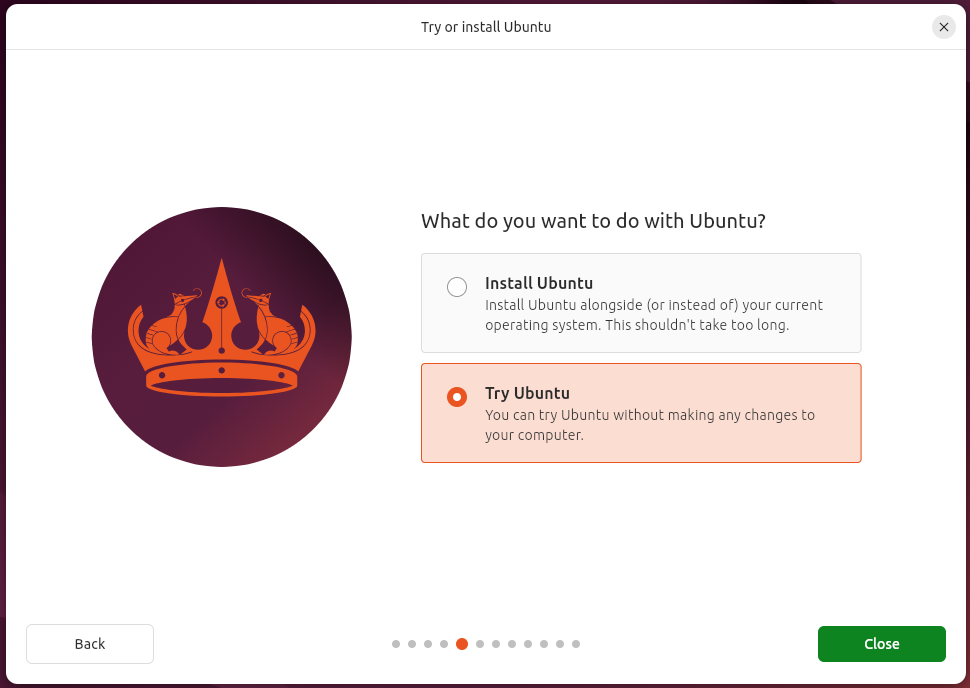
This solution implements booting Ubuntu from a USB and then installing SST.
Resolution
Most of the following are steps 1-4 from the Install Ubuntu desktop guide, though we will not install Ubuntu, only "Try".
| NOTE | Non-Persistent
|
|---|
Requirements
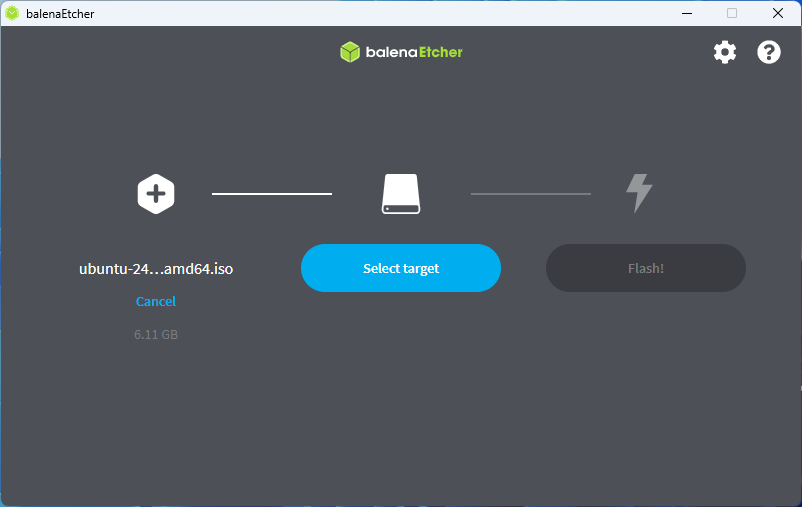
- Ubuntu ISO
- Review the Installation Guide of SST CLI for supported Ubuntu versions
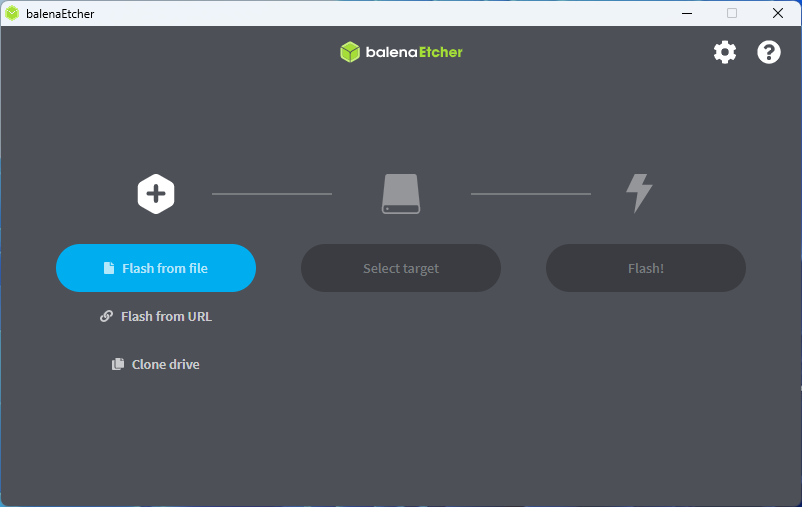
- BalenaEtcher
- Version for current OS
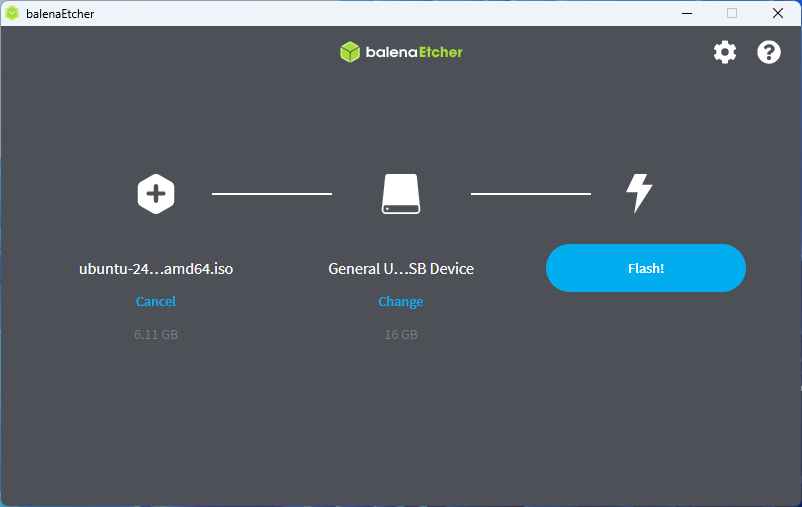
- Blank USB drive
- Large enough for the Ubuntu version being used
Process
This process uses Ubuntu 24.04 with a 16GB USB.
Create Boot Stick
|  |
|  |
|  |
| Wait for successful completion | 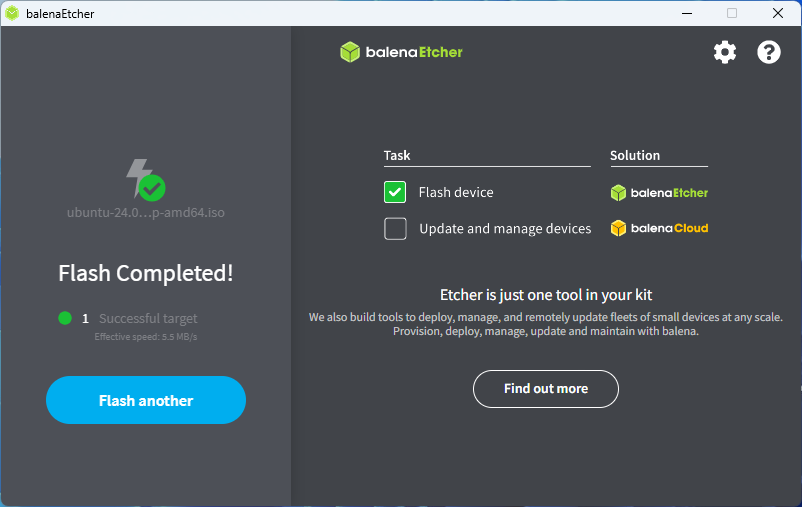 |
Boot from Stick
Install SST
|  |
Questions? Check out our Community Forum for help.
Issues? Contact Solidigm Customer Support:
[Chinese] [English] [German] [Japanese] [Korean]