
How To Reference a Single SSD Using Solidigm CLI Tools
How To Reference a Specific Solid State Drive for Command-Line Interfaces Version of Solidigm Tools
Summary
Shows how to list all drives using the CLI from the:
Solidigm Storage Tool (SST)
Solidigm Synergy Toolkit (ToolKit)
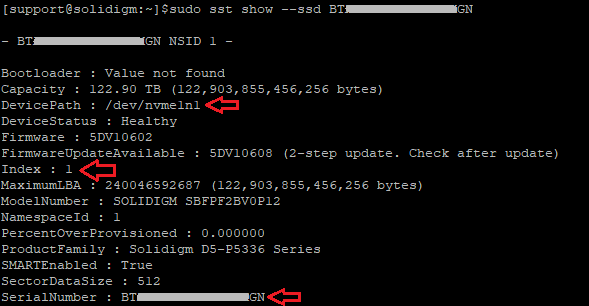
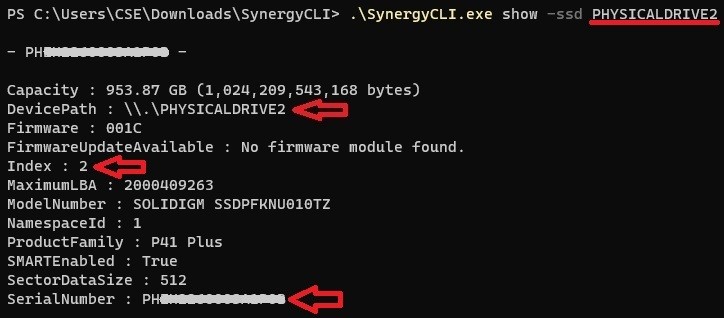
Identifies the ways to specify a single drive, for use with other commands, options being:
Device Path
Index
Serial Number
Resolution
To see summaries of all connected drives:
|
|
The three references are highlighted:
| |
Combine a reference, following
|
Issues? Contact Solidigm Customer Support:
[Chinese] [English] [German] [Japanese] [Korean]